
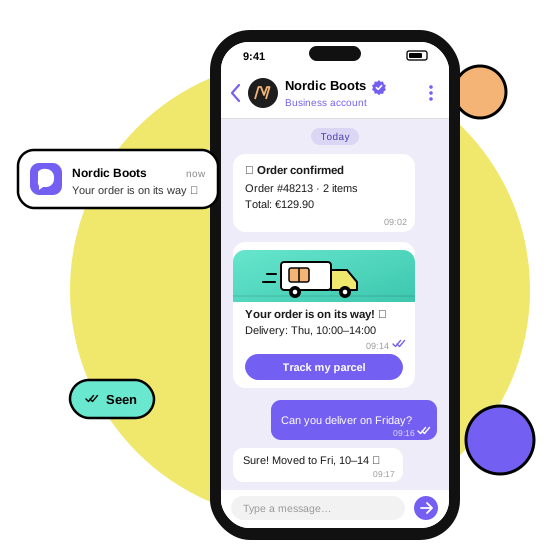
Picture two messages arriving at 9:14 on a Tuesday morning. One is an email from your online store: “Your order has shipped.” The other lands in Viber, shows the store's name, logo and a verified badge, and has a Track my parcel button underneath. Which one does your customer open first?
That question is why Viber Business Messages have become a core channel next to email and SMS. In this guide you'll learn what they are, which message types and formats you can send, who already relies on them, and how to get started through an official Viber partner.
What are Viber Business Messages?
Viber Business Messages are messages a company sends to its customers inside the Viber app – from a verified business profile instead of an anonymous phone number. Think of them as SMS that grew up: the same direct line to the customer's phone, plus your brand, images, buttons and a real conversation.
Three things set them apart from an ordinary chat:
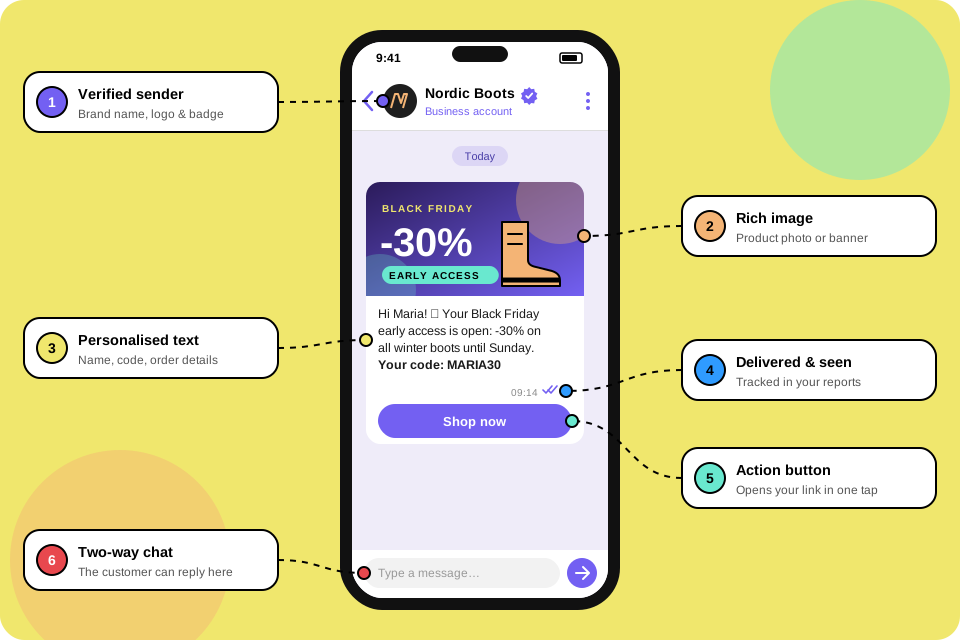
- A verified sender. Every message comes from your approved business profile with your name and logo, so customers know it's really you and not a spoofed number.
- A verified badge. Approved business senders display a verification checkmark next to their name. It makes impersonation harder and gives customers a reason to open.
- A dedicated business chats section. Messages from companies can be grouped apart from personal chats (how this looks depends on the app version), so your updates don't drown between family photos and group chats.
In short
Viber for business turns an app your customers already open every day into a branded, two-way channel that you control.
The three types of Viber business messaging
Not every message has the same job. Viber business messaging falls into three types, and each plays by its own rules.
1. Promotional messages
Offers, product launches, seasonal campaigns and loyalty rewards. They go only to customers who have opted in, and this is where images and buttons earn their keep. Planning one? The Viber marketing solution covers segmentation, scheduling and reporting.
2. Transactional messages
Order confirmations, payment receipts, delivery updates, appointment reminders and one-time codes. They are triggered by something the customer did, so they are expected – and read.
3. Two-way conversations
The customer replies and a person or a Viber chatbot answers in the same thread. This is where Viber stops being a broadcast channel and becomes a real support desk.
| Type | Typical use | Triggered by |
|---|---|---|
| Promotional | Sales, launches, loyalty offers | Your campaign calendar |
| Transactional | Orders, payments, deliveries, reminders | A customer action or system event |
| Conversational | Questions, support, bookings | The customer replying |
Formats: what a message can look like
The most common building blocks of a message are:
- Text – up to 1,000 characters, with emoji and personalised fields such as the customer's name or order number.
- Image – a product photo, a banner or a map, shown right in the chat.
- Button – one clear call to action such as Shop now, Track order or Book a slot that opens a link.
Promotional messages typically use all three; transactional messages are usually text-first and to the point. Put the blocks together and you get a mini landing page inside the chat. Here's a transactional message that does its job in five seconds:
Hi Maria, good news – order #48213 is on its way! 🚚 Expected delivery: Thursday, 10:00–14:00.
Track my parcelThe best business message is the one your customer was already waiting for.
Who uses Viber for business?
Any company that needs to reach customers quickly on their phones. Three groups see results fastest:
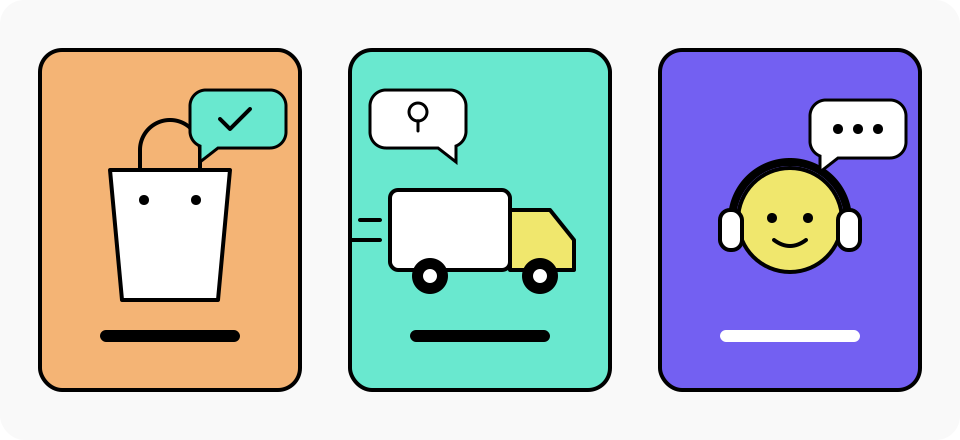
- Online stores send order and payment confirmations, abandoned-cart reminders and back-in-stock alerts – see Viber for e-commerce.
- Couriers and logistics companies send shipping updates and let customers confirm or reschedule a delivery – see Viber for logistics.
- Customer service teams answer questions, share order status and hand over to a person when a chatbot can't help – see Viber for customer service.
Banks, clinics, travel agencies and utilities use the channel the same way: for reminders and alerts that customers actually notice.
How to get a Viber business account and start sending Viber Business Messages
You can't send business messages from a regular Viber profile. Companies go through an official Viber business partner (opens in a new tab), who verifies the business and connects it to Viber's messaging infrastructure. With MSG PLS the path looks like this:
- Tell us about your business. We review your company details and what you want to send.
- Set up your Viber business account. We prepare your sender profile – name, logo and description – and submit it for Viber's approval.
- Connect your systems. Send from the MSG PLS platform, or trigger messages automatically from your store, CRM or app through the Viber Business Messages API.
- Build your first message. Pick a template, add text, an image and a button, and personalise it.
- Send, measure, improve. Track delivered, seen and clicked messages and fine-tune the next send.
Tip
Start with transactional messages. Customers expect them, they prove the channel's value quickly and they build trust before your first promotional campaign. Want to see it on your own use case? Book a demo and we'll walk you through it.
Viber Business Messages vs SMS
SMS still reaches almost every phone, and it isn't going away. But for most customer journeys Viber gives you more room to work with:
| Viber Business Messages | SMS | |
|---|---|---|
| Sender | Verified business profile with name and logo | Number or short alphanumeric ID |
| Content | Text, image and button | Plain text only |
| Conversation | Customer can reply in the same chat | Replies are limited or not supported |
| Insight | Delivered, seen and clicked statuses | Mostly delivery status |
Many companies use both: Viber as the primary channel and SMS for customers who don't use the app. A detailed cost and reach comparison is coming in a separate guide.
Rules and best practices for Viber business messaging
Viber protects its users' inboxes, and that's exactly why customers trust business messages there. Keep these rules in mind from day one:
- Get consent for marketing. Send promotional messages only to people who opted in, keep a record of that consent and make it easy to unsubscribe (GDPR applies in full).
- Your sender must be approved. Viber reviews every business profile before it can send. Use your real brand name and logo so customers recognise you.
- Keep content honest and relevant. Misleading offers, aggressive language or restricted products can get messages blocked – and customers will hit Block even faster.
- Mind the frequency. One useful message beats three generic ones. Plan promotional sends around real occasions and skip late-night hours.
- Personalise with care. The customer's name and order details lift results, but only use data you are allowed to use.
Key takeaways
- Viber Business Messages come from a verified business profile with your name, logo and trust badge.
- There are three types: promotional, transactional and two-way conversations.
- A message can combine text, an image and a button – a mini landing page in the chat.
- Online stores, couriers and customer service teams get results fastest.
- You start through an official Viber partner such as MSG PLS.
Ready to send your first Viber business message?
Explore the MSG PLS platform: business messages, campaigns, chatbots, API and analytics in one place.
Explore the platformFrequently asked questions
What are Viber Business Messages?
They are messages that companies send to customers inside Viber from a verified business profile. A message can include text, an image and a button, and can be promotional, transactional or part of a two-way conversation.
How do I get a Viber business account?
Through an official Viber partner such as MSG PLS. The partner verifies your company, prepares your sender profile, submits it to Viber for approval and then connects you to the platform or the API.
Do customers need to opt in to receive Viber messages?
Yes for promotional messages: send them only to customers who have agreed to receive marketing from you, in line with GDPR. Transactional messages relate to something the customer did, such as placing an order, so they are sent based on that existing relationship rather than marketing consent.
How much do Viber Business Messages cost?
Pricing depends on the message type, the volume and the destination country. Check the MSG PLS pricing page at msgpls.com/pricing or contact the team for a quote based on your volumes.
Can I send Viber messages automatically from my own systems?
Yes. With the MSG PLS API your online store, CRM or booking system can trigger order, payment and delivery messages automatically.